
In the expansive ecosystem of Java Development, the code you write is only as good as the tools you use to build, package, and deploy it. Gone are the days when developers manually invoked the Java compiler (javac) from the command line for enterprise applications. As modern software architecture shifts toward Java Microservices and cloud-native deployments, the role of Java Build Tools has evolved from simple compilation scripts to sophisticated orchestration engines. These tools manage dependencies, run tests, enforce code quality, and prepare artifacts for Java Cloud platforms like AWS Java and Azure Java.
Whether you are building a monolithic Java Enterprise application using Jakarta EE or a lightweight Spring Boot microservice, understanding the nuances of Maven and Gradle is non-negotiable. Furthermore, with the advent of Java 17 and Java 21, the build process now includes complex tasks like module linking (via jlink) to create custom runtime images, optimizing JVM Tuning and reducing the footprint for Docker Java containers. This article provides a deep dive into the architecture of Java build tools, practical implementation strategies, and advanced techniques for creating cross-platform distributives.
The Core Concepts of Java Build Automation
At its heart, a build tool automates the transformation of source code into a runnable artifact. However, in the context of Java Best Practices, it serves three critical functions: Dependency Management, Build Lifecycle Management, and Standardization.
Dependency Management and the Classpath
Modern Java Backend development relies heavily on third-party libraries—from Hibernate and JPA for Java Database interactions to utility libraries like Apache Commons. A build tool automatically downloads these JARs and, crucially, manages “transitive dependencies” (the dependencies of your dependencies). This prevents the dreaded “Class Not Found” errors that used to plague manual classpath management.
To understand why this is vital, consider a scenario where we need to parse JSON data in a Java REST API. Without a build tool, you would manually manage the classpath. With a build tool, you simply declare the dependency, and the tool ensures the library is available during compilation and runtime.
Here is a practical example of a Java class that relies on external libraries. A build tool ensures the annotations and utility classes utilized here are available.
package com.enterprise.analytics;

import java.util.List;
import java.util.Optional;
import java.util.logging.Logger;

// This class represents a component that might be managed by a framework like Spring
public class DataProcessorService {

    private static final Logger LOGGER = Logger.getLogger(DataProcessorService.class.getName());

    /**
     * Processes a list of raw data inputs.
     * This demonstrates the use of Java Generics and Collections.
     *
     * @param rawData List of string inputs
     * @return Processed result wrapped in Optional
     */
    public Optional<String> processBatch(List<String> rawData) {
        if (rawData == null || rawData.isEmpty()) {
            LOGGER.warning("Received empty batch for processing");
            return Optional.empty();
        }

        LOGGER.info("Processing batch size: " + rawData.size());

        // Simulating complex logic that requires dependencies
        StringBuilder result = new StringBuilder();
        for (String item : rawData) {
            if (isValid(item)) {
                result.append(transform(item)).append(";");
            }
        }

        return Optional.of(result.toString());
    }

    private boolean isValid(String item) {
        // In a real scenario, this might use a Validation library dependency
        return item != null && !item.trim().isEmpty();
    }

    private String transform(String item) {
        return item.toUpperCase().trim();
    }
}
The Build Lifecycle
Standardization is key in Java Architecture. Whether you join a new team or contribute to Open Source, you expect standard commands. The lifecycle typically includes:
- Validate: Check if the project is correct.
- Compile: Translate
.javafiles to.classbytecode. - Test: Run unit tests using JUnit or Mockito.
- Package: Take the compiled code and package it (JAR, WAR).
- Verify: Run integration tests.
- Install/Deploy: Save the package to a local or remote repository.
Implementation: Maven vs. Gradle
The two titans of the industry are Apache Maven and Gradle. While Maven prioritizes convention over configuration using XML, Gradle offers a flexible, imperative build script based on Groovy or Kotlin DSL. Both are excellent, but they serve different needs in Java Web Development and Android Development.
Apache Maven: The Industry Standard
Maven uses a pom.xml (Project Object Model). It is declarative; you tell Maven what you want, not how to do it. Maven is ubiquitous in Java Spring and legacy Java EE environments. Its rigid lifecycle ensures that any developer can jump into a project and run mvn clean install to get a build.
A critical aspect of Maven is plugin execution. For example, ensuring code quality with tests. Below is an example of a Java Testing class using JUnit 5. Maven’s Surefire plugin automatically detects and executes this during the test phase.
package com.enterprise.analytics;

import org.junit.jupiter.api.Test;
import org.junit.jupiter.api.DisplayName;
import org.junit.jupiter.api.Assertions;
import java.util.Arrays;
import java.util.Collections;
import java.util.Optional;

// Demonstrating Unit Testing integration with Build Tools
class DataProcessorServiceTest {

    private final DataProcessorService service = new DataProcessorService();

    @Test
    @DisplayName("Should return empty Optional when input list is empty")
    void testProcessBatchWithEmptyList() {
        // Arrange
        var emptyInput = Collections.<String>emptyList();

        // Act
        Optional<String> result = service.processBatch(emptyInput);

        // Assert
        Assertions.assertTrue(result.isEmpty(), "Result should be empty for empty input");
    }

    @Test
    @DisplayName("Should transform and concatenate valid strings")
    void testProcessBatchWithValidStrings() {
        // Arrange
        var input = Arrays.asList("java ", " maven", "gradle ");

        // Act
        Optional<String> result = service.processBatch(input);

        // Assert
        Assertions.assertTrue(result.isPresent());
        Assertions.assertEquals("JAVA;MAVEN;GRADLE;", result.get());
    }
}
Gradle: Performance and Flexibility
Gradle is the default for Android Java and Kotlin development. It uses a Directed Acyclic Graph (DAG) to determine the order in which tasks should be run. Gradle’s “incremental build” feature significantly speeds up development by only recompiling parts of the codebase that have changed.
In modern Java 21 projects, developers often use the Kotlin DSL for Gradle build scripts because it offers type safety and autocomplete. Gradle excels at handling multi-module projects common in Java Microservices architectures.
Below is an example of using Java Streams and Functional Java concepts. Gradle handles the compilation of such modern syntax efficiently, allowing developers to utilize the full power of the language.
package com.modern.stream;

import java.util.List;
import java.util.Map;
import java.util.stream.Collectors;

public class StreamAnalytics {

    // A record class (introduced in Java 14/16) representing a data point
    public record Transaction(String id, String category, double amount) {}

    /**
     * Groups transactions by category and calculates total amount.
     * This showcases Java Streams, Lambdas, and Records.
     */
    public Map<String, Double> aggregateByCategory(List<Transaction> transactions) {
        return transactions.stream()
            .filter(t -> t.amount() > 0) // Filter out negative/zero amounts
            .collect(Collectors.groupingBy(
                Transaction::category,
                Collectors.summingDouble(Transaction::amount)
            ));
    }

    /**
     * Finds high-value transactions using Stream API
     */
    public List<String> findHighValueTransactionIds(List<Transaction> transactions, double threshold) {
        return transactions.stream()
            .filter(t -> t.amount() > threshold)
            .map(Transaction::id)
            .sorted()
            .collect(Collectors.toList());
    }
}
Advanced Techniques: Custom Runtimes and Cross-Platform Distribution
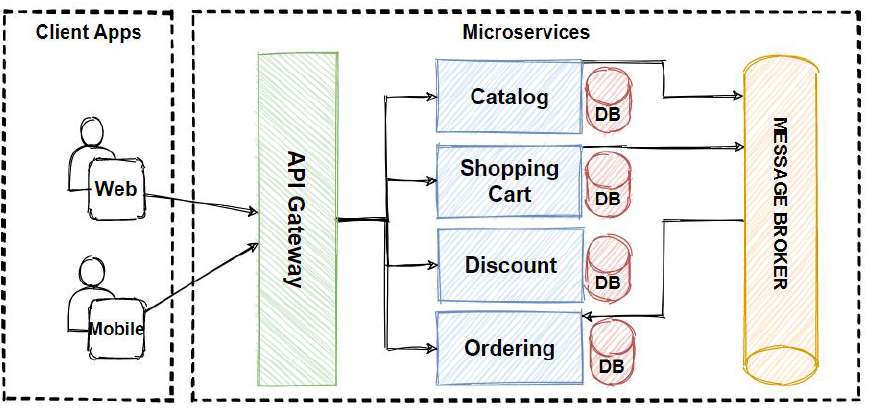
As we move towards cloud-native Java DevOps, simply building a JAR file is often insufficient. We need to optimize for containerization (Docker/Kubernetes) and minimize startup time. This is where advanced build tool plugins and the Java Module System (Project Jigsaw) come into play.
Using jlink for Custom Images
One of the most powerful features in modern Java is jlink. It allows you to create a custom Java Runtime Environment (JRE) containing only the modules your application needs. This drastically reduces the size of the resulting image, which is crucial for Java Scalability in serverless environments like AWS Lambda or Kubernetes Java pods.
Modern build plugins for Maven and Gradle can automate the jlink process. They can auto-detect the required JDK, download dependencies, and build a cross-platform distributive. This means you can build a lightweight image on a Windows machine that is ready to deploy on a Linux server.
To leverage this, your application should ideally be modular. Here is an example of a module-info.java file, which defines the architecture of a modular application, and a service utilizing Java Concurrency.
// module-info.java
module com.enterprise.async {
    // Requires the base module
    requires java.base;
    // Requires a logging module
    requires java.logging;

    // Exports the service package for other modules to use
    exports com.enterprise.async.service;
}

// File: com/enterprise/async/service/AsyncResourceFetcher.java
package com.enterprise.async.service;

import java.util.concurrent.CompletableFuture;
import java.util.concurrent.ExecutionException;
import java.util.concurrent.ExecutorService;
import java.util.concurrent.Executors;

public class AsyncResourceFetcher {

    private final ExecutorService executor = Executors.newFixedThreadPool(4);

    /**
     * Fetches data asynchronously using CompletableFuture.
     * Essential for high-performance Java Backend systems.
     */
    public CompletableFuture<String> fetchData(String url) {
        return CompletableFuture.supplyAsync(() -> {
            try {
                // Simulate network delay
                Thread.sleep(1000);
                return "Data from " + url;
            } catch (InterruptedException e) {
                Thread.currentThread().interrupt();
                throw new IllegalStateException(e);
            }
        }, executor);
    }

    public void processMultipleSources() {
        CompletableFuture<String> source1 = fetchData("https://api.source1.com");
        CompletableFuture<String> source2 = fetchData("https://api.source2.com");

        // Combine results when both are finished
        CompletableFuture<String> combined = source1.thenCombine(source2,
            (s1, s2) -> "Combined Result: " + s1 + " & " + s2
        );

        combined.thenAccept(System.out::println);
    }
}
By configuring your build tool to use jlink with this modular structure, you can generate a runtime image that excludes unused parts of the JDK (like Swing or AWT if you are building a headless backend), resulting in a secure and optimized deployment artifact.
Best Practices and Optimization
To maintain a healthy Clean Code Java environment, developers must adhere to specific best practices regarding build tools.
1. Use Wrapper Scripts
Never rely on the locally installed version of Maven or Gradle. Always use the wrapper scripts (mvnw or gradlew). These scripts ensure that everyone on the team and the CI/CD Java pipeline uses the exact same version of the build tool. This eliminates “it works on my machine” issues caused by build tool version discrepancies.
2. Dependency Management and Security
Java Security is paramount. Regularly audit your dependencies for vulnerabilities. Tools like OWASP Dependency-Check can be integrated directly into your Maven or Gradle build lifecycle. Furthermore, use “Bill of Materials” (BOM) files, especially with Spring Boot, to ensure version compatibility across different libraries.
3. Profile Management
Use build profiles to separate configuration for different environments (Development, Testing, Production). For example, you might want to skip heavy integration tests during a quick local build but enforce them strictly in the CI pipeline. Profiles allow you to toggle these settings dynamically.
4. Optimize Docker Layers
When building for Docker Java, configure your build tool to layer the application. Separate dependencies into one layer and your application code into another. Since dependencies change less frequently than code, Docker can cache the dependency layer, significantly speeding up build and deployment times in Google Cloud Java or AWS environments.
package com.devops.config;

import java.io.IOException;
import java.io.InputStream;
import java.util.Properties;

/**
 * A utility class to load configuration, demonstrating resource handling.
 * Build tools ensure src/main/resources are correctly placed in the classpath.
 */
public class AppConfig {

    private final Properties properties = new Properties();

    public AppConfig(String env) {
        String filename = "application-" + env + ".properties";
        try (InputStream input = getClass().getClassLoader().getResourceAsStream(filename)) {
            if (input == null) {
                System.out.println("Sorry, unable to find " + filename);
                return;
            }
            properties.load(input);
        } catch (IOException ex) {
            ex.printStackTrace();
        }
    }

    public String getDbUrl() {
        return properties.getProperty("db.url");
    }
}
Conclusion
Mastering Java Build Tools is a journey that transforms a coder into a software engineer. Whether you choose Maven for its stability and convention or Gradle for its flexibility and performance, the goal remains the same: automation, reproducibility, and efficiency. As the ecosystem continues to evolve with Java 21 and beyond, tools that facilitate modularization and custom runtime generation (like jlink integrations) will become standard in Java Cloud deployments.
By implementing the best practices outlined in this article—utilizing wrappers, managing dependencies securely, and leveraging modern compilation features—you ensure that your Java Application is robust, scalable, and ready for the demands of modern enterprise architecture. Start optimizing your build pipeline today, and witness the improvement in your development velocity and code quality.