
In the modern landscape of Java Web Development, security is not merely a feature; it is the foundation upon which scalable and trustworthy applications are built. As Java Microservices and distributed architectures become the norm, the need for robust delegation of authorization has led to the widespread adoption of OAuth 2.0. For developers working with Java Spring, Spring Boot, and Jakarta EE, understanding the intricacies of OAuth Java implementation is essential for protecting sensitive data and ensuring seamless user experiences.
OAuth 2.0 is the industry-standard protocol for authorization. It focuses on client developer simplicity while providing specific authorization flows for web applications, desktop applications, mobile phones, and living room devices. When combined with Java Security standards, it allows a user to grant a third-party application access to their resources on another service without sharing their credentials. This article provides a deep dive into implementing OAuth 2.0 within the Java ecosystem, leveraging the latest features of Java 17 and Java 21, and adhering to Java Best Practices.
Core Concepts of OAuth 2.0 in the Java Ecosystem
Before diving into the code, it is crucial to understand the actors involved in an OAuth flow and how they map to Java Architecture components. The protocol defines four roles: the Resource Owner (user), the Resource Server (API), the Client (application), and the Authorization Server. In a Java Backend environment, you will most frequently build the Resource Server or the Client.
The Authorization Flows
Choosing the right grant type is critical for Java Application Security. The most common flows you will encounter in Java Enterprise development include:
- Authorization Code Flow: Used by confidential clients (server-side apps) to exchange an authorization code for an access token.
- Client Credentials Flow: Used for machine-to-machine communication, common in Java Microservices where one service needs to call another without user intervention.
- PKCE (Proof Key for Code Exchange): An extension to the Authorization Code flow, mandatory for public clients like Android Java apps or Single Page Applications (SPAs).
To model these concepts in Java Programming, we often utilize POJOs (Plain Old Java Objects) to represent the token response. This leverages Java Basics regarding class structure and encapsulation.
Here is a practical example of a Java class designed to handle an OAuth 2.0 Token Response, utilizing Java 17 Records for immutability and cleaner syntax:
package com.security.oauth.model;

import com.fasterxml.jackson.annotation.JsonProperty;
import java.io.Serializable;

/**
 * A Java Record representing a standard OAuth 2.0 Token Response.
 * Records (introduced in Java 14/16) provide a concise syntax for immutable data carriers.
 */
public record OAuthTokenResponse(
    @JsonProperty("access_token") String accessToken,
    @JsonProperty("token_type") String tokenType,
    @JsonProperty("expires_in") int expiresIn,
    @JsonProperty("refresh_token") String refreshToken,
    @JsonProperty("scope") String scope
) implements Serializable {

    // You can add validation logic in the compact constructor
    public OAuthTokenResponse {
        if (accessToken == null || accessToken.isBlank()) {
            throw new IllegalArgumentException("Access token cannot be null or empty");
        }
    }

    /**
     * Helper method to determine if the token is a Bearer token.
     * @return true if token type is Bearer
     */
    public boolean isBearer() {
        return "Bearer".equalsIgnoreCase(this.tokenType);
    }
}
This simple structure is fundamental when parsing JSON responses from an Authorization Server using libraries like Jackson, which is standard in Java Maven and Java Gradle builds.
Implementation: Building a Secure Resource Server
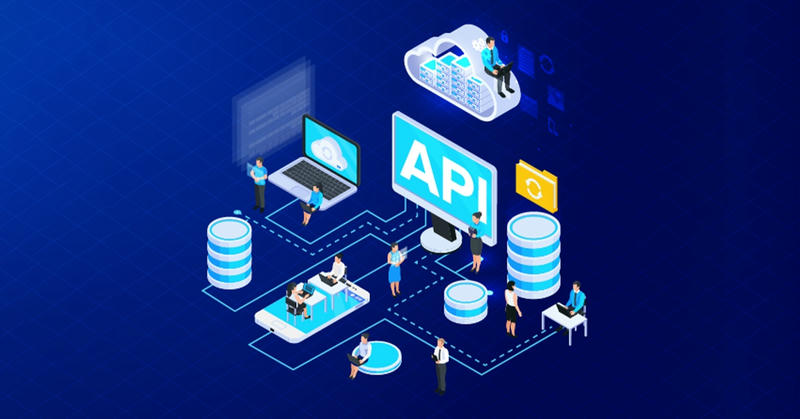
The most common use case for a Java Backend developer is creating a Resource Server—a Java REST API that requires a valid Access Token to serve data. We will utilize Spring Boot and Spring Security, the heavyweights of Java Frameworks, to achieve this.
Configuring the Security Filter Chain
In modern Spring Security (version 6+), configuration is done using the SecurityFilterChain bean rather than extending adapter classes. This approach aligns with Clean Code Java principles and functional configuration styles.
The following example demonstrates how to configure a Java Spring application to validate JWTs (JSON Web Tokens). This setup assumes you have an Identity Provider (like Keycloak, Auth0, or AWS Cognito) issuing the tokens.
package com.security.oauth.config;

import org.springframework.context.annotation.Bean;
import org.springframework.context.annotation.Configuration;
import org.springframework.security.config.annotation.web.builders.HttpSecurity;
import org.springframework.security.config.annotation.web.configuration.EnableWebSecurity;
import org.springframework.security.config.http.SessionCreationPolicy;
import org.springframework.security.oauth2.server.resource.authentication.JwtAuthenticationConverter;
import org.springframework.security.oauth2.server.resource.authentication.JwtGrantedAuthoritiesConverter;
import org.springframework.security.web.SecurityFilterChain;

@Configuration
@EnableWebSecurity
public class SecurityConfig {

    /**
     * Configures the security filter chain for the application.
     * This defines which endpoints are public and which require authentication.
     */
    @Bean
    public SecurityFilterChain filterChain(HttpSecurity http) throws Exception {
        http
            .csrf(csrf -> csrf.disable()) // Disable CSRF for stateless REST APIs
            .sessionManagement(session ->
                session.sessionCreationPolicy(SessionCreationPolicy.STATELESS)) // Stateless session for JWT
            .authorizeHttpRequests(auth -> auth
                .requestMatchers("/api/public/**").permitAll() // Public endpoints
                .requestMatchers("/api/admin/**").hasRole("ADMIN") // Role-based access control
                .anyRequest().authenticated() // All other requests require authentication
            )
            .oauth2ResourceServer(oauth2 -> oauth2
                .jwt(jwt -> jwt.jwtAuthenticationConverter(jwtAuthenticationConverter()))
            );

        return http.build();
    }

    /**
     * Converter to extract roles/authorities from the JWT.
     * By default, Spring looks for "SCOPE_", but we often want "ROLE_".
     */
    @Bean
    public JwtAuthenticationConverter jwtAuthenticationConverter() {
        JwtGrantedAuthoritiesConverter grantedAuthoritiesConverter = new JwtGrantedAuthoritiesConverter();
        // Configure the converter to look for authorities in a specific claim (e.g., "groups" or "roles")
        grantedAuthoritiesConverter.setAuthoritiesClaimName("roles");
        grantedAuthoritiesConverter.setAuthorityPrefix("ROLE_");

        JwtAuthenticationConverter jwtAuthenticationConverter = new JwtAuthenticationConverter();
        jwtAuthenticationConverter.setJwtGrantedAuthoritiesConverter(grantedAuthoritiesConverter);
        return jwtAuthenticationConverter;
    }
}
This configuration is a staple in Java Cloud deployments. It ensures that every request is intercepted, the JWT signature is verified against the Authorization Server’s public keys (usually via JWK Set URI), and the claims are mapped to Spring Security authorities.
Securing the Controller Layer
Once the configuration is in place, you can secure your Java REST API endpoints using method-level security. This is where Java Annotations shine, allowing for declarative security rules.
package com.security.oauth.controller;

import org.springframework.http.ResponseEntity;
import org.springframework.security.access.prepost.PreAuthorize;
import org.springframework.security.core.annotation.AuthenticationPrincipal;
import org.springframework.security.oauth2.jwt.Jwt;
import org.springframework.web.bind.annotation.GetMapping;
import org.springframework.web.bind.annotation.RequestMapping;
import org.springframework.web.bind.annotation.RestController;

import java.util.Map;

@RestController
@RequestMapping("/api/v1/resources")
public class SecureResourceController {

    @GetMapping("/user-info")
    @PreAuthorize("hasAuthority('SCOPE_read_user')")
    public ResponseEntity<Map<String, Object>> getUserInfo(@AuthenticationPrincipal Jwt principal) {
        // Accessing claims directly from the JWT object
        String userId = principal.getSubject();
        String email = principal.getClaimAsString("email");

        return ResponseEntity.ok(Map.of(
            "userId", userId,
            "email", email,
            "message", "Secure data accessed successfully"
        ));
    }

    @GetMapping("/admin-action")
    @PreAuthorize("hasRole('ADMIN')")
    public ResponseEntity<String> performAdminAction() {
        return ResponseEntity.ok("Admin action performed.");
    }
}
Advanced Techniques: The OAuth Client and WebClient
In a Java Microservices architecture, services often need to communicate with each other securely. One service might act as an OAuth Client to fetch data from another secured service. While the older RestTemplate is still in use, the modern approach leverages WebClient from the Spring WebFlux stack, which supports Java Async programming and Java Streams concepts.
Implementing the WebClient with OAuth2 Support
Handling the token lifecycle (requesting, caching, and refreshing tokens) manually is error-prone. Spring Security provides the ServerOAuth2AuthorizedClientExchangeFilterFunction to handle this automatically. This is a prime example of Java Design Patterns—specifically the Chain of Responsibility and Proxy patterns—abstracting complexity away from the developer.
package com.security.oauth.client;

import org.springframework.context.annotation.Bean;
import org.springframework.context.annotation.Configuration;
import org.springframework.security.oauth2.client.AuthorizedClientServiceOAuth2AuthorizedClientManager;
import org.springframework.security.oauth2.client.OAuth2AuthorizedClientManager;
import org.springframework.security.oauth2.client.OAuth2AuthorizedClientProvider;
import org.springframework.security.oauth2.client.OAuth2AuthorizedClientProviderBuilder;
import org.springframework.security.oauth2.client.OAuth2AuthorizedClientService;
import org.springframework.security.oauth2.client.registration.ClientRegistrationRepository;
import org.springframework.security.oauth2.client.web.reactor.function.client.ServerOAuth2AuthorizedClientExchangeFilterFunction;
import org.springframework.web.reactive.function.client.WebClient;

@Configuration
public class WebClientConfig {

    @Bean
    public OAuth2AuthorizedClientManager authorizedClientManager(
            ClientRegistrationRepository clientRegistrationRepository,
            OAuth2AuthorizedClientService authorizedClientService) {

        OAuth2AuthorizedClientProvider authorizedClientProvider =
                OAuth2AuthorizedClientProviderBuilder.builder()
                        .clientCredentials() // Support Client Credentials flow
                        .refreshToken()      // Support Token Refresh
                        .build();

        AuthorizedClientServiceOAuth2AuthorizedClientManager authorizedClientManager =
                new AuthorizedClientServiceOAuth2AuthorizedClientManager(
                        clientRegistrationRepository, authorizedClientService);
        authorizedClientManager.setAuthorizedClientProvider(authorizedClientProvider);

        return authorizedClientManager;
    }

    @Bean
    public WebClient webClient(OAuth2AuthorizedClientManager authorizedClientManager) {
        // Configure the filter function to handle OAuth logic
        ServletOAuth2AuthorizedClientExchangeFilterFunction oauth2Client =
                new ServletOAuth2AuthorizedClientExchangeFilterFunction(authorizedClientManager);

        // Set default client registration ID if needed
        oauth2Client.setDefaultClientRegistrationId("my-internal-service");

        return WebClient.builder()
                .apply(oauth2Client.oauth2Configuration())
                .build();
    }
}
This configuration allows you to inject the WebClient into your services. When you make a call, the filter intercepts the request, checks if a valid token exists, requests one if it doesn’t (or if it’s expired), adds the Authorization: Bearer header, and then proceeds. This automation is crucial for Java Scalability and reliability in Kubernetes Java deployments.
Best Practices and Optimization

Implementing OAuth Java solutions is not just about making it work; it is about making it secure and performant. Here are key considerations for Java Advanced developers.
1. Testing Security Configuration
Security misconfigurations are a top vulnerability. You must test your security layers using JUnit and Mockito. Spring Security Test provides excellent support for this. Never assume your SecurityFilterChain is correct without verifying it.
@SpringBootTest
@AutoConfigureMockMvc
class SecurityConfigTest {

    @Autowired
    private MockMvc mockMvc;

    @Test
    void whenCallPublicEndpoint_then200() throws Exception {
        mockMvc.perform(get("/api/public/health"))
               .andExpect(status().isOk());
    }

    @Test
    void whenCallProtectedEndpointWithoutToken_then401() throws Exception {
        mockMvc.perform(get("/api/v1/resources/user-info"))
               .andExpect(status().isUnauthorized());
    }

    @Test
    void whenCallProtectedEndpointWithScope_then200() throws Exception {
        // Mocking a JWT with specific scope
        mockMvc.perform(get("/api/v1/resources/user-info")
               .with(jwt().authorities(new SimpleGrantedAuthority("SCOPE_read_user"))))
               .andExpect(status().isOk());
    }
}
2. Performance and Caching
Validating a JWT can be resource-intensive if you are using introspection (calling the auth server for every request). For Java Performance optimization:
- Prefer JWT Java validation (offline validation using public keys) over Opaque Tokens (introspection) for high-traffic services.
- Cache the JWK Set (public keys) to avoid fetching them from the Authorization Server on every request. Spring Security does this by default, but ensure your cache TTL aligns with key rotation schedules.
- Use Java Concurrency features like
CompletableFuturewhen aggregating data from multiple protected resources to minimize latency.
3. Scope vs. Role Validation
A common pitfall in Java Development is confusing Scopes and Roles. Scopes (e.g., read:messages) define what the client application is allowed to do. Roles (e.g., ROLE_ADMIN) define what the user is allowed to do. A robust Java Architecture should validate both. The client must have the scope to ask for the data, and the user must have the role to view it.
4. Dependency Management
Vulnerabilities in dependencies are common. Use tools integrated into Java DevOps pipelines (like OWASP Dependency Check) to scan your Java Maven or Java Gradle files. Ensure you are using the latest versions of spring-boot-starter-oauth2-resource-server and spring-security-oauth2-client.
Conclusion
Mastering OAuth Java is a journey that extends beyond simple authentication. It involves understanding the nuances of authorization flows, configuring Spring Boot securely, and writing Clean Code Java that is testable and maintainable. As you build your Java Backend systems, remember that security is a continuous process. Whether you are deploying to AWS Java environments, managing Docker Java containers, or orchestrating with Kubernetes, the principles of OAuth 2.0 remain constant.
By following the implementation strategies and best practices outlined in this guide, you will be well-equipped to build secure, scalable, and modern Java applications. Continue exploring Java 21 features and stay updated with the ever-evolving landscape of Java Authentication and Java Cryptography to ensure your applications remain resilient against emerging threats.