
The landscape of mobile application development has undergone a seismic shift over the last decade. What began as a platform strictly dominated by Java Programming has evolved into a diverse ecosystem embracing modern languages, declarative UI frameworks, and high-performance native integration. For developers deeply entrenched in Java Development, the transition to modern Android standards offers a fascinating bridge between established Java Best Practices and cutting-edge mobile paradigms.
While languages like Kotlin have become the preferred syntax for Android, the platform’s roots run deep in the Java Virtual Machine (JVM). Understanding Java Basics through to Java Advanced concepts remains crucial. Furthermore, modern Android apps rarely exist in isolation; they are often the frontend for robust Java Backend systems powered by Java Spring and Spring Boot. This article explores the comprehensive stack of Android development, from UI architecture to integrating with Java Microservices, and optimizing for performance using concepts that parallel the efficiency of systems programming languages like Rust.
1. The Evolution of the Android Runtime: Java vs. Kotlin
For years, Android Java was the standard. Developers utilized Java 17 and earlier versions to build robust applications. However, the introduction of Kotlin brought a paradigm shift. The debate of Kotlin vs Java is not about one replacing the other entirely, but rather about interoperability. Android’s build system and runtime still rely heavily on the JVM structure, meaning knowledge of Java Generics, Java Collections, and Java Exceptions is directly transferable.
Managing Asynchrony and Concurrency
One of the most critical aspects of mobile development is keeping the main thread free from blocking operations. Historically, this was handled using Java Threads, Java Async tasks, or CompletableFuture. While modern Android advocates for Kotlin Coroutines, understanding the underlying Java Concurrency model is vital for debugging and performance tuning.
Below is a comparison of how a background operation might look using standard Java Best Practices versus a modern approach. This illustrates the evolution from verbose anonymous inner classes to functional streams.
// Traditional Java Approach using CompletableFuture (Java 8+)
import java.util.concurrent.CompletableFuture;
import java.util.concurrent.ExecutionException;

public class DataRepository {

    public CompletableFuture<String> fetchDataAsync() {
        return CompletableFuture.supplyAsync(() -> {
            // Simulate network delay
            try {
                Thread.sleep(1000);
            } catch (InterruptedException e) {
                Thread.currentThread().interrupt();
            }
            return "Data fetched from Java Spring Backend";
        });
    }

    public void processData() {
        fetchDataAsync()
            .thenApply(data -> "Processed: " + data)
            .thenAccept(System.out::println)
            .exceptionally(ex -> {
                System.err.println("Error: " + ex.getMessage());
                return null;
            });
    }
}
This Java code demonstrates the usage of Functional Java concepts like lambdas, which paved the way for the reactive programming models we see today.
2. Modern UI Architecture: The Declarative Revolution
Inspired by web frameworks and cross-platform tools, Android has moved toward declarative UI toolkits. Just as developers explore building apps with efficient languages like Rust and libraries like Iced for desktop, Android has adopted Jetpack Compose. This shifts the focus from manipulating XML views to describing the UI state.
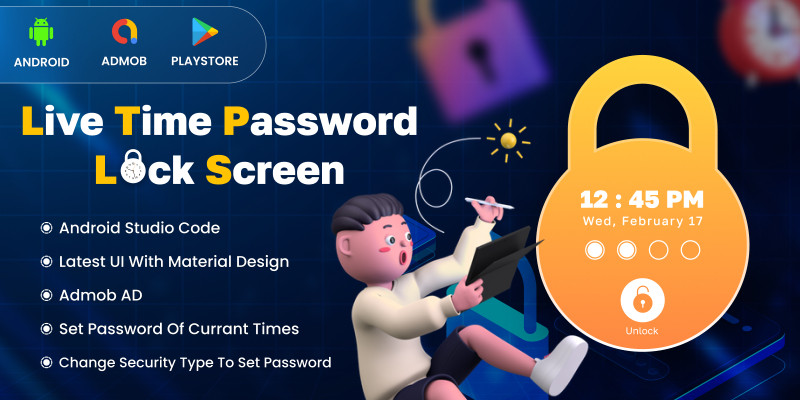
This approach aligns with Clean Code Java principles and Java Design Patterns like MVVM (Model-View-ViewModel). By decoupling the UI definition from the underlying logic, we achieve better separation of concerns, making the app more testable and scalable.
Implementing a Declarative UI Component
In the modern stack, we define UI components as functions. This eliminates the boilerplate of findViewById and manual state synchronization. It also opens the door for high-performance rendering optimizations.
// Modern Android UI using Jetpack Compose (Kotlin)
import androidx.compose.foundation.layout.*
import androidx.compose.material3.*
import androidx.compose.runtime.*
import androidx.compose.ui.Modifier
import androidx.compose.ui.unit.dp

@Composable
fun UserDashboard(viewModel: UserViewModel) {
    // State collection from the ViewModel
    val userState by viewModel.userState.collectAsState()

    Column(
        modifier = Modifier
            .fillMaxSize()
            .padding(16.dp)
    ) {
        Text(
            text = "Welcome, ${userState.username}",
            style = MaterialTheme.typography.headlineMedium
        )

        Spacer(modifier = Modifier.height(16.dp))

        Button(onClick = { viewModel.refreshData() }) {
            Text("Sync with Java Cloud")
        }

        if (userState.isLoading) {
            CircularProgressIndicator()
        }
    }
}
This snippet highlights the efficiency of modern Mobile App Development. The UI automatically reacts to state changes, a concept that significantly reduces bugs related to UI inconsistency.
3. Connecting to the Enterprise: Java Spring and Microservices
A mobile application is rarely a standalone entity. In an enterprise environment, it acts as a client for a complex Java Enterprise backend. These backends are typically built using Java Spring, Spring Boot, and Jakarta EE technologies. Understanding how to interface with a Java REST API is a fundamental skill for Android developers.
Secure Communication and Data Handling
When connecting to Java Microservices, security is paramount. Implementations often involve OAuth Java flows and JWT Java (JSON Web Tokens) for Java Authentication. Furthermore, data persistence on the server side relies on Hibernate, JPA, and robust Java Database connectivity via JDBC.
On the Android client, we use libraries like Retrofit to consume these APIs. Below is an example of how to configure a client to communicate with a secure Spring Boot application, handling Java Security tokens automatically.
// Retrofit Interface for communicating with a Spring Boot Backend
import retrofit2.http.GET
import retrofit2.http.Header
import retrofit2.http.Path

interface UserApiService {

    // Fetching user profile from a Java REST API
    @GET("/api/v1/users/{id}")
    suspend fun getUserProfile(
        @Path("id") userId: String,
        @Header("Authorization") token: String
    ): UserProfileDto
}

// Data Transfer Object matching the Java Backend entity
data class UserProfileDto(
    val id: String,
    val email: String,
    val roles: List<String>
)

// Interceptor logic often handles the JWT injection
class AuthInterceptor(private val tokenManager: TokenManager) : Interceptor {
    override fun intercept(chain: Interceptor.Chain): Response {
        val original = chain.request()
        val token = tokenManager.getJwt()

        val request = original.newBuilder()
            .header("Authorization", "Bearer $token")
            .method(original.method, original.body)
            .build()

        return chain.proceed(request)
    }
}
This integration layer is where Java Cloud technologies (like AWS Java, Azure Java, or Google Cloud Java) meet the mobile device. The backend might be running in Docker Java containers orchestrated by Kubernetes Java clusters, but to the Android developer, it appears as a consistent API surface.
4. Performance, Optimization, and Native Integration
While the JVM is powerful, certain tasks require raw performance. This is where Java Performance optimization and JVM Tuning concepts come into play, even on Android (via ART – Android Runtime). However, for computationally heavy tasks—such as image processing, cryptography, or complex physics engines—developers often turn to the NDK (Native Development Kit).
This area allows for the integration of C++ or Rust code directly into the Android app. Just as one might explore using Rust with Iced for desktop apps, using Rust via JNI (Java Native Interface) for Android core logic is becoming a popular trend to ensure memory safety and speed without sacrificing the Java Architecture of the upper layers.
Build Systems and CI/CD
Managing these complex dependencies requires robust Java Build Tools. Android primarily uses Java Gradle (often with Kotlin DSL). A proper build setup ensures that Java Cryptography libraries, native binaries, and UI resources are packaged correctly.
Furthermore, Java DevOps practices mandate the use of CI/CD Java pipelines. Automated testing using JUnit and Mockito is non-negotiable for maintaining Java Scalability and reliability. Below is an example of a unit test ensuring our repository logic holds up.

// Unit Testing with JUnit and Mockito
import static org.mockito.Mockito.*;
import static org.junit.Assert.*;
import org.junit.Test;
import org.junit.runner.RunWith;
import org.mockito.Mock;
import org.mockito.junit.MockitoJUnitRunner;

@RunWith(MockitoJUnitRunner.class)
public class UserRepositoryTest {

    @Mock
    UserApiService apiService;

    @Test
    public void testFetchUserSuccess() {
        // Arrange
        String userId = "123";
        UserProfileDto mockUser = new UserProfileDto(userId, "[email protected]", null);

        // Mocking the behavior of the API call
        // Note: In a real scenario, we would handle coroutine suspension or async wrappers
        when(apiService.getUserProfile(eq(userId), anyString())).thenReturn(mockUser);

        // Act
        UserRepository repo = new UserRepository(apiService);
        UserProfileDto result = repo.getUser(userId);

        // Assert
        assertNotNull(result);
        assertEquals("[email protected]", result.email);

        // Verify interaction
        verify(apiService).getUserProfile(eq(userId), anyString());
    }
}
5. Best Practices for the Modern Android Developer
To excel in modern Android development, one must look beyond the device. The most successful apps are those that adhere to Java Best Practices while leveraging modern tools. Here are key areas to focus on:
- Garbage Collection Awareness: Even with modern devices, memory leaks are possible. Understand how the Garbage Collection works in ART to avoid retaining large bitmaps or contexts.
- Java Streams and Functional Patterns: Use Java Streams (or Kotlin sequences) for data manipulation to keep code readable and efficient.
- Dependency Injection: Use frameworks like Hilt or Dagger (based on Java Annotations) to manage dependencies, making your architecture modular.
- Security: Always implement Java Cryptography standards when storing sensitive data locally.
- Continuous Deployment: Utilize Java Deployment strategies within your CI/CD pipeline to automate release builds to the Play Store.
Conclusion
Android development has matured into a sophisticated discipline that sits at the intersection of Java Web Development principles and native mobile performance. By mastering the transition from Java Tutorial basics to advanced Kotlin vs Java interoperability, and by embracing declarative UI patterns similar to those found in the Rust ecosystem, developers can build applications that are both beautiful and performant.
Whether you are optimizing Java Streams for data processing, configuring Docker Java containers for your backend, or writing JUnit tests for your view models, the goal remains the same: creating a seamless user experience. As the ecosystem continues to evolve with Java 21 features and beyond, staying updated with these Java Development trends is essential for taking your skills to the next level.